
Chapter 7 · 7.8
Vacation Messages
Watch it in a short video
Away for a while? With a vacation message, everyone who e-mails you automatically gets a reply, for example saying you're away until 7 November and who they can contact instead. You choose a start and end date: after that, the message stops automatically. The e-mail itself still arrives in your mailbox as normal.
Setting up a vacation message
- In DirectAdmin, go to E-mail Manager and then Vacation Messages. If needed, select the domain in the top right.
- Click CREATE VACATION MESSAGE.
- Under Vacation account (1), choose the mailbox that should send the message.
- Under From (2) and To (3), choose the date and time the message should start and stop.
- Under Reply Frequency (4), choose how often the same sender should receive the message, for example once a day.
- Type your text under Vacation message and click CREATE.

Under Subject Prefix, enter a word that goes before the subject of your reply, for example Away. This field is required: if you leave it blank, you'll get the message Required Field. The reply's subject will then be Away: followed by the subject of the original e-mail. This field is required: if you leave it blank, DirectAdmin won't create the message. Leave Content-Type set to text/plain.
The overview
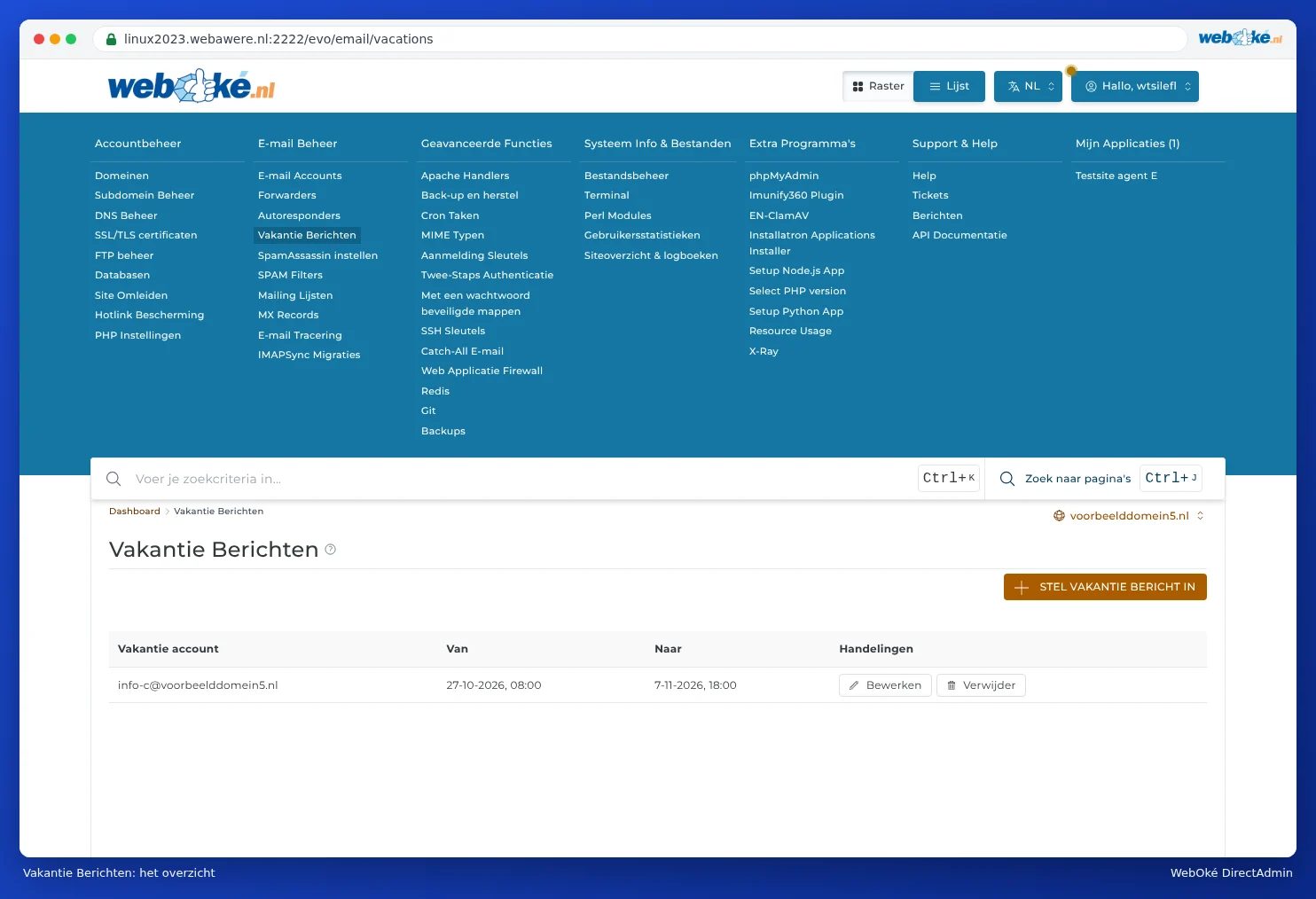
Under Vacation Messages, you can see for each mailbox when a vacation message is active, from when to when. This is also where you edit or remove the message, for example if you're back earlier than planned.
Writing a good vacation message
- Mention the day you're back.
- Include an address or phone number for urgent matters.
- Keep it short and businesslike. Don't include personal details: spammers receive this message too.
Tip: Don't have access to DirectAdmin, for example as an employee? You can also set up an automatic reply in webmail itself, using a filter in the webmail settings. See Opening webmail.
Frequently asked questions
I'm testing my vacation message, but only get it once.
This is due to the reply frequency: anyone who has already received the message won't get it again until that time has passed. Test with a different address, not from the address itself.
The message isn't going out.
Check the dates and times under From and To. The message only works within that period.