
Chapter 7 · 7.7
Autoresponders
An autoresponder automatically sends a fixed reply to every e-mail that arrives at an address. It stays on until you remove it. Handy for an address like prices@ that always sends back your price list, a confirmation such as "We've received your message", or an address that's no longer in use. For a temporary out-of-office message with a start and end date, use a holiday message instead (see Vacation Messages and Autoresponder or holiday message: which should you choose?).
Creating an autoresponder
- In DirectAdmin, go to E-mail Manager and then Autoresponders. If needed, select the domain in the top right.
- Click CREATE AUTORESPONDER.
- Fill in the fields (see below) and click SAVE.
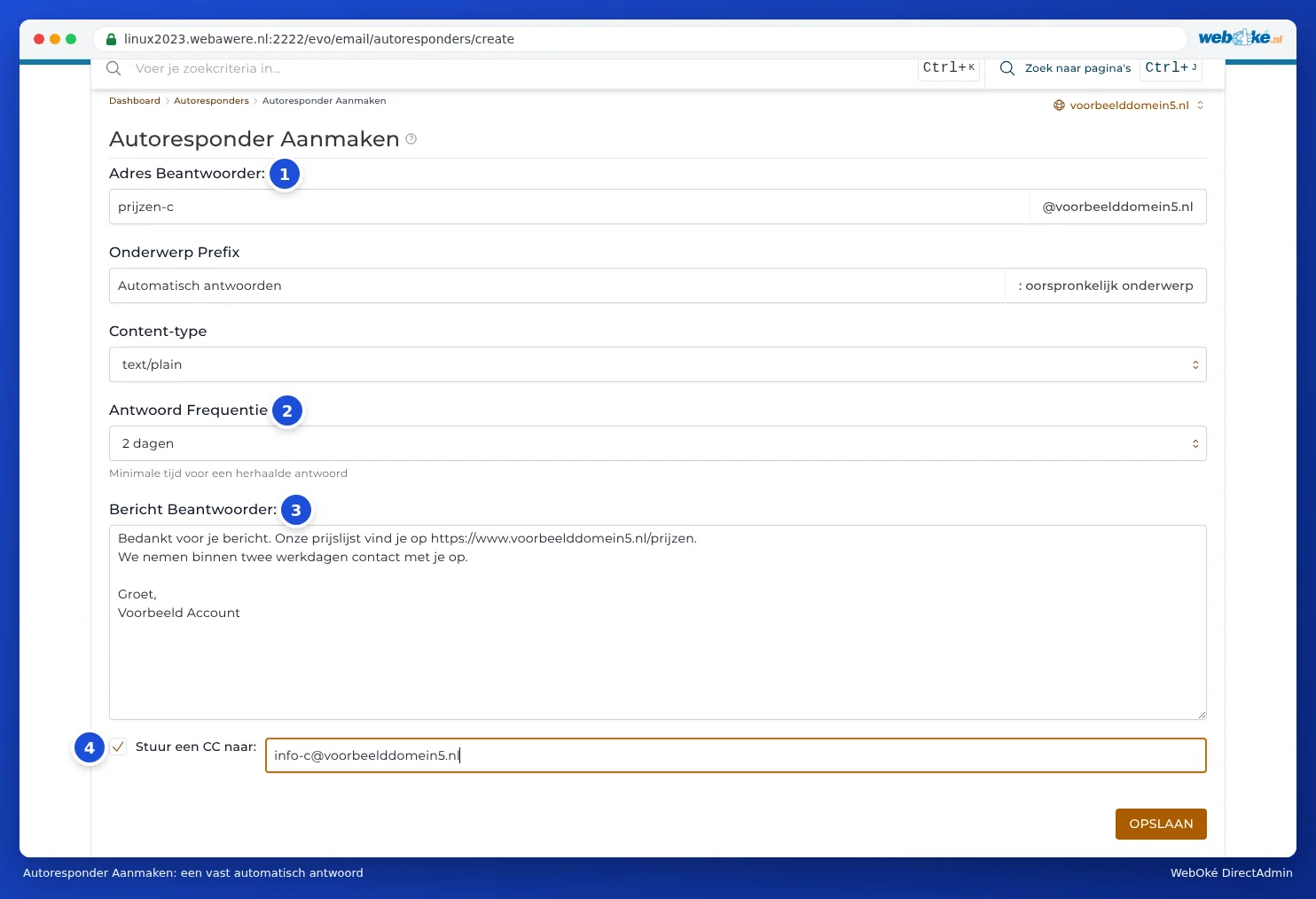
- Responder Address: (1) the part before the @ of the address that replies automatically.
- Subject Prefix: what's added before the subject of the reply. By default this is Auto Reply; the reply's subject then becomes, for example, Auto Reply: Question about my order.
- Content-Type: leave this set to text/plain for a plain text message. Only choose text/html if you're writing the message in HTML yourself.
- Reply Frequency (2): the minimum time before the same sender receives another automatic reply. This way, someone who e-mails you five times won't get the same reply five times.
- Responder Message: (3) the text of the reply.
- Send a CC to: (4) tick this and enter an address that will receive a copy of the incoming e-mail.
Important: what happens to the e-mail itself?
An autoresponder only replies to the e-mail; it doesn't save anything. If you also want to read the incoming e-mail, you have two options:
- Set the autoresponder on an address that also has a mailbox. The e-mail then simply arrives in that mailbox and the sender receives the automatic reply.
- Or tick Send a CC to: and enter the address where you want to receive the e-mail.
If you do neither, the sender will get your automatic reply, but their e-mail will be lost.
Changing or switching off
In Autoresponders, click Modify next to the autoresponder to change the text or settings. To switch it off, tick it and click Delete. The mailbox with the same name (if there is one) remains untouched.
Good to know
- An autoresponder also replies to spam. The reply frequency limits this, but you should still only switch on an autoresponder where it's useful.
- Automatic replies count towards your sending limit (see Send limits and the 'message limit reached' message).