
Creating a redirect to another domain (hosting account)
This article only applies to domains that are part of a hosting package
Do you only have a domain registration? Then it works slightly differently, click this article for more information.
Method 2: DirectAdmin control panel
- First, go to the WebOké control panel. You can do this by going to My Products and clicking the 'DirectAdmin' button there.
- Click Site Redirection or Website Redirect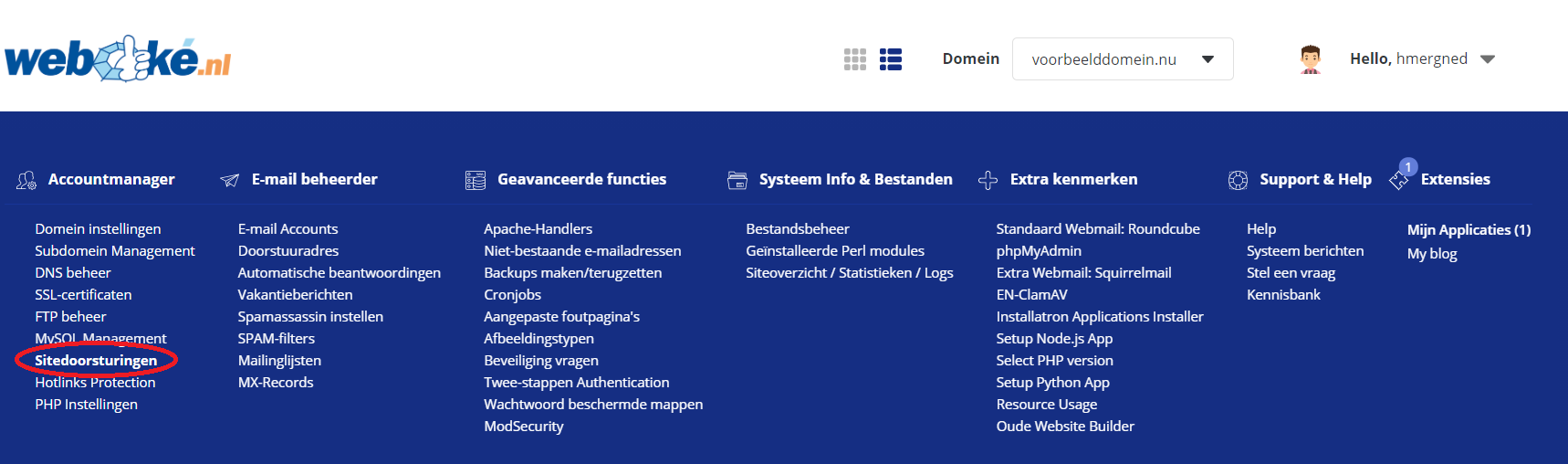
- Click add domain redirect
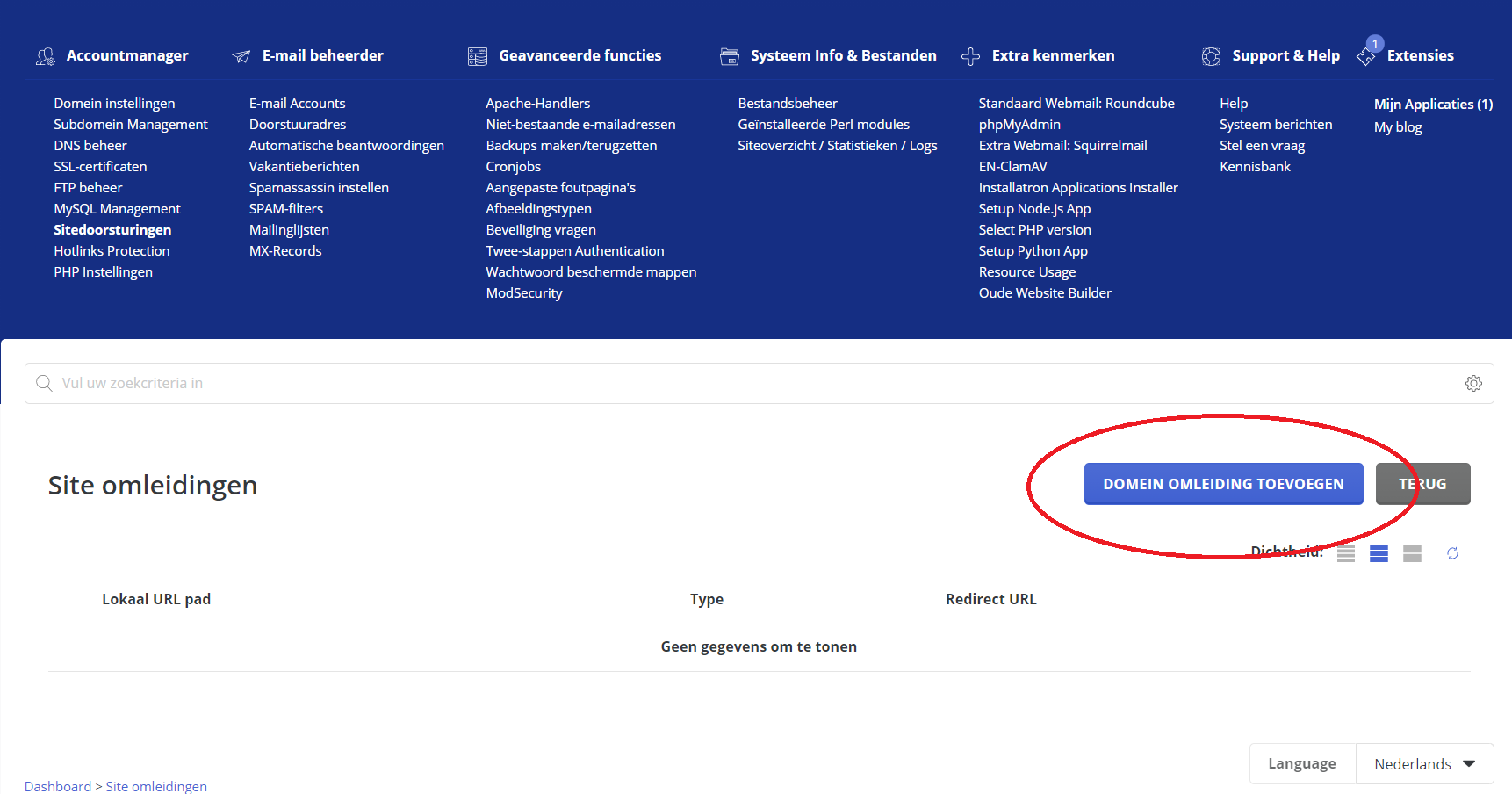
- Enter the settings you want here. If you leave the Local URL Path field empty, the whole site will act as the redirect address. If you only want to redirect a specific page, enter the URL of that page in this field. Under Destination URL, enter the URL that visitors should be redirected to.
Was this article helpful?