
Create new Office document (spreadsheet, presentation, document and diagram)
With the Nextcloud Office Suite you can create and edit new documents directly in your browser.
You can create a new document with just a few clicks, we'll explain how!
Step 1 - Log in to your Nextcloud account
Step 2 - Click on 'New'
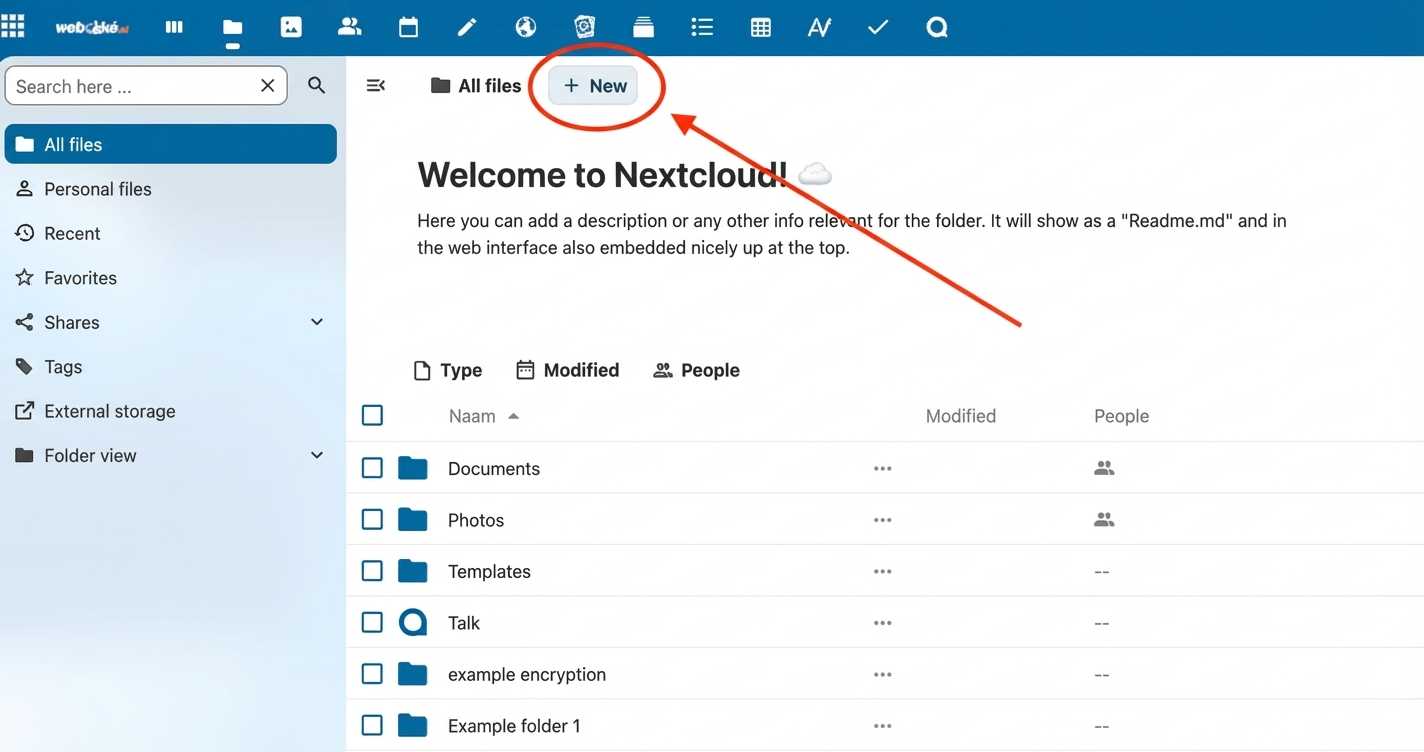
Step 3 - Click on the type of document you want to create

Step 4 - That's all! The new document will be created and opened so you can edit it immediately.

Was this article helpful?