Skip to content

Cookie settings

Choose which kinds of cookies you allow. You can change your choice at any time via Cookie settings at the bottom of every page. Privacy statement

Necessary

Always on

Needed to log in, keep your cart and remember your choices. These are always on.

Which cookies?
  • weboke_sessie, weboke_klant, weboke_remember: your session and staying logged in
  • weboke_basket: your cart
  • wkBtwIncl: showing prices with or without VAT
  • wok_cookies: your cookie choice, 12 months

Measures which ad leads to a visit or order, so we do not pay for ads that do nothing.

Which cookies?
  • Google Ads via Google Tag Manager (_gcl_au, _gcl_aw), up to 90 days
  • OpenAI Ads, ads in ChatGPT
  • wok_aff: which partner referred you to us (affiliate programme), 60 days

4.6

FTP suddenly stops working after a KPN modem update or the switch to fibre

We have now received many reports from customers that FTP has suddenly stopped working. Timeouts occur.

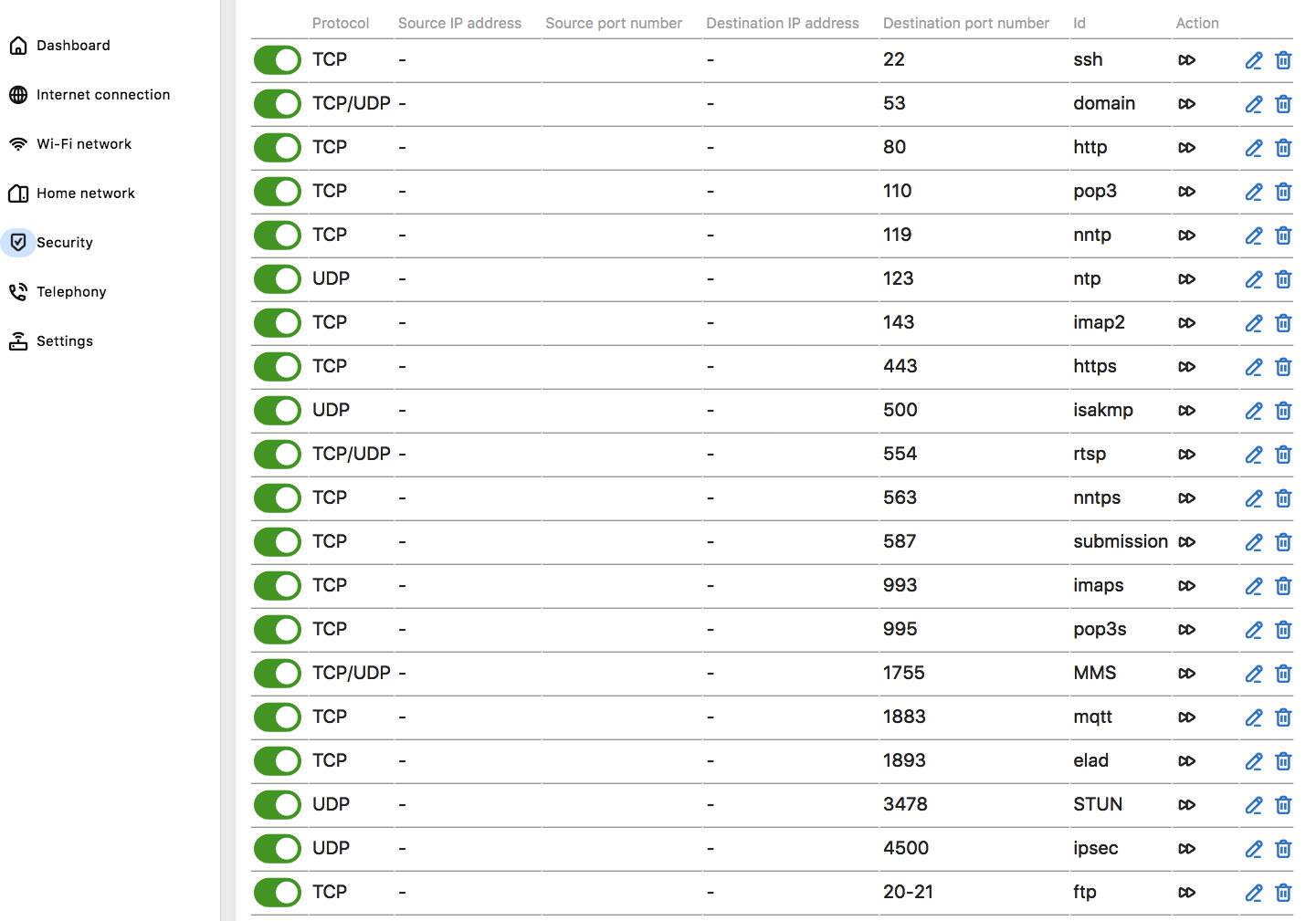
This turns out to be caused by the modem update or by the switch to fibre. Make sure that ports 20 and 21 are open and, if you use passive FTP, that ports 35000 to 35999 are open as well.

Allowing everything in the KPN modem also solves it, but is not entirely secure.

With the settings shown in this list, active FTP will work. If you also want to use passive FTP, ports 35000 to 35999 must be opened.
Was this article helpful?

← Back to General hosting

One moment…

Set up your domains

For each domain, arrange the nameservers, the link to your hosting and who becomes the owner.

Loading your domains…